 New on Apple Watch
Log Every Set From Your Wrist
Members log every set on the wrist. Coaches see it live.
Squat & Press Strength

Dumbbell Goblet Squat
Legs · 3 sets, 10-12 reps

Dumbbell Floor Press
Chest, Triceps · 3 sets, 10-12 reps

Seated Dumbbell Overhead Press
Shoulders · 3 sets, 8-10 reps

Bent-Over Dumbbell Row
Back · 3 sets, 10-12 reps

Dumbbell Lateral Raise
Shoulders · 3 sets, 12-15 reps
Tap or scroll the watch to take over.
Built for the Gym Floor
The Watch app ships inside the Superset app, so members already have it.
The crown sets the weight
Turn it in 2.5 lb steps. The phone stays put.
Rest that counts itself
It starts on log. A tap on the wrist says go.
One workout on iPhone and Watch
Log on one, and it shows on the other.
Add or drop a set mid-workout
Change the plan as you go. The coach sees it.
Counts in Apple Health
Heart rate, energy, and the Activity rings.
Works without signal
Sets save offline and sync once it reconnects.
How to Work Out With Superset on Apple Watch
How members get started, and what coaches see.
1. Get started
Get the Watch app
The Watch app comes with the Superset iPhone app. There is nothing extra to buy or download.
- 1.
Update Superset on your iPhone
Get the latest version from the App Store.
- 2.
Sign in on your iPhone first
Your Watch uses the same sign-in, and your iPhone hands it over.
- 3.
Install it on your Watch
On your iPhone, open the Watch app and go to My Watch. Under Available Apps, tap Install next to Superset. With Automatic App Install on, it’s already there.
- 4.
Open Superset on your Watch
Your upcoming workouts show up. Tap one to start logging.
2. Two ways to train
Two ways to train on your Watch
The Superset Watch app
Log every set from your wrist. Turn the crown to set the weight, tap Log set, and the rest timer starts. Each set saves to the same workout as your iPhone.
Send to Apple Watch
To train in Apple’s Workout app instead, send the workout from your iPhone, then open Workout on your Watch to start. It tracks time and heart rate, but your sets aren’t logged in Superset.
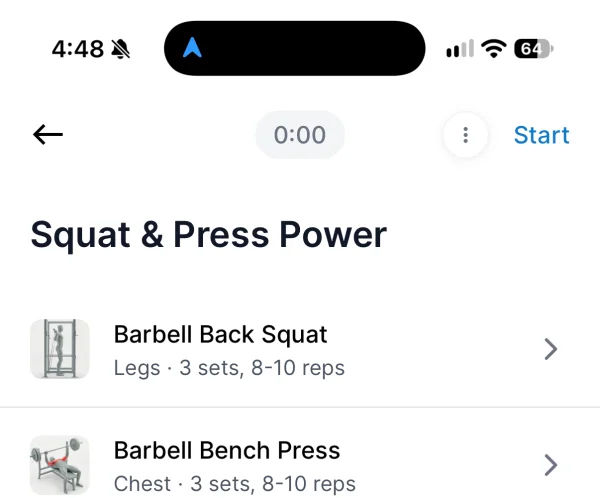
1.Tap on a workout
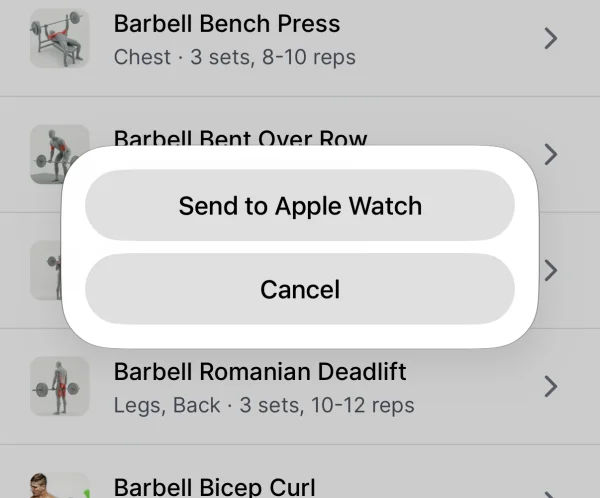
2.Tap Send to Apple Watch
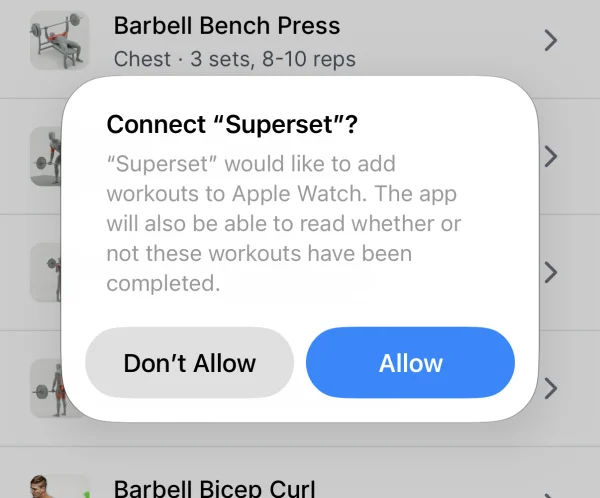
3.The first time, tap Allow
3. For coaches
What coaches see
There’s nothing to turn on. Every workout you assign is ready on the Watch, and sets logged there land in the same workout as the iPhone. You see the weight, reps, and any added or dropped sets once they sync.
4. Troubleshooting
If something’s off
The Watch asks you to open Superset on your iPhone
Open Superset on your iPhone with your Watch nearby. The sign-in passes over in a few seconds.
The Watch says no workouts are coming up
Check that the workout shows in the iPhone app. Then close and reopen Superset on your Watch.
Send to Apple Watch is missing
It needs iOS 17 or later and an Apple Watch paired with your iPhone.
You use an Android phone
Apple Watch pairs only with iPhone. You can still log every set in the Superset Android app.
Frequently Asked Questions
Do members need a separate app for Apple Watch?
No. The Watch app ships inside the Superset iPhone app, so members who have Superset on their iPhone already have it on their Watch.
Which Apple Watch models work?
Any Apple Watch that runs watchOS 10 or later, paired with an iPhone that has the Superset app.
Does my coach see sets logged on the Watch?
Yes. Sets logged on the Watch save to the same workout as the iPhone, so the coach sees the weight, reps and any added or dropped sets as soon as they sync.
What if the gym has no signal?
Members keep logging. The Watch saves each set and sends it in order once it can reach Superset again.
Does it count toward Apple Health and the Activity rings?
Yes. Each session runs as a strength-training workout in Apple Health, which records heart rate and energy and credits the Move and Exercise rings.
Put Your Program on Their Wrist
Every workout you assign is ready on Apple Watch.